
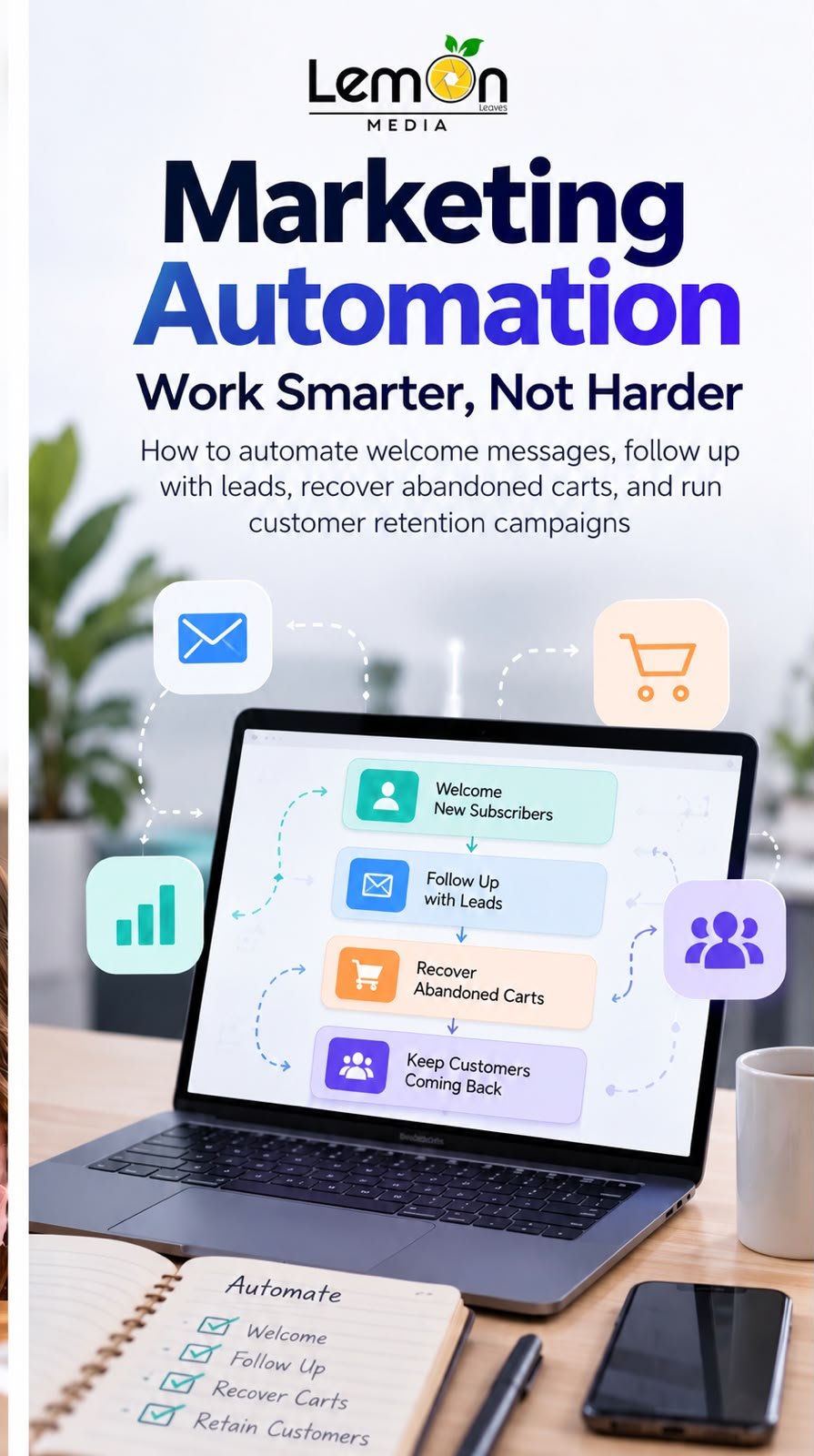
Customers expect timely, relevant communication from the businesses they interact with. However, manually replying to every inquiry, following up with every potential customer, and reminding every shopper about an unfinished purchase can quickly become difficult as a business grows. Marketing automation helps solve this challenge by using technology to send planned messages and perform repetitive marketing tasks based on customer actions, preferences, or timing.
When used thoughtfully, automation is more than a way to save time. It can make communication more consistent, help businesses respond to customer needs, and support stronger relationships throughout the customer journey. This guide explains what marketing automation is, how common workflows work, and how small and medium-sized businesses can get started.
What Is Marketing Automation?
Marketing automation is the use of software to manage recurring marketing activities with limited manual effort. Businesses can create workflows that send messages or trigger actions when a customer performs a specific activity, such as subscribing to a newsletter, submitting an inquiry, making a purchase, or leaving products in an online shopping cart.
For example, a new subscriber might receive a welcome email, a person who requests a quote might receive a helpful follow-up, and a shopper who leaves a cart unfinished might receive a reminder. These workflows can be delivered through email, SMS, messaging platforms, or other supported channels, depending on the tools a business uses and the permissions it has received.
1. Welcome Messages: Make a Strong First Impression
A welcome message is an automated communication sent after someone takes an initial step, such as subscribing to a mailing list, creating an account, or signing up for updates. It introduces the business and helps the new contact understand what to expect next.
How a welcome workflow works
- A person subscribes, registers, or opts in to receive communications.
- The marketing platform records the action and starts the welcome workflow.
- The person receives a timely message that thanks them and introduces the brand.
- A follow-up message may share useful resources, popular products, or next steps, if appropriate.
What should a welcome message include?
- A friendly thank-you and a clear introduction to the business.
- A short explanation of the value the subscriber can expect.
- One useful next step, such as exploring products, reading a guide, or booking a consultation.
- A clear way to manage communication preferences or unsubscribe where required.
Keep the first message simple and useful. Avoid sending too many messages immediately or making promises the business cannot deliver. The goal is to build trust, not overwhelm a new contact.
2. Follow Up with Potential Customers
Not every interested person is ready to buy during their first interaction. A potential customer may ask a question, download a guide, request pricing, or submit a form and then need more information before making a decision. Automated follow-ups help businesses maintain contact without relying on staff to remember every conversation.
Example lead follow-up sequence
- Immediately: confirm the inquiry and explain when the customer can expect a response.
- After a suitable interval: share relevant information that answers a common question or helps the person evaluate the offer.
- Later, if the person has not responded: send a polite check-in with a clear next step.
- When the person replies or becomes a customer: stop or adjust the sequence so messages remain relevant.
The timing should reflect the product, service, and customer expectations. A high-intent request for a consultation may need a prompt human response, while a general newsletter signup may be better suited to a slower educational sequence.
Personalize without overdoing it
Use details the customer knowingly provided, such as their name, requested service, or selected area of interest. Segment contacts where it is useful, and avoid inserting personal information that feels intrusive. Automation should make communication more relevant while preserving a natural, respectful tone.
3. Abandoned Cart Reminders: Help Shoppers Complete Their Purchase
An abandoned cart occurs when a shopper adds products to an online cart but leaves without completing the purchase. Some shoppers are comparing options, some are interrupted, and others may have questions about delivery, payment, or product suitability. A well-timed reminder can help them return to the checkout if they still want the items.
A simple abandoned cart workflow
- The shopper adds an item to the cart but does not complete the order.
- The store platform or marketing tool detects the unfinished checkout, where supported.
- After an appropriate delay, the shopper receives a reminder that identifies the cart or provides a link back to it.
- If the order is completed, the reminder sequence stops automatically.
Best practices for cart reminders
- Make it easy to return to the cart with a direct, working link.
- Use a helpful subject line or message that clearly explains why the customer is receiving it.
- Answer common purchase concerns, such as delivery details or return policies, when relevant.
- Test the timing and number of reminders rather than sending too many.
- Do not assume every abandoned cart represents a lost sale or use misleading urgency.
Discounts are not always necessary. Before offering a coupon, consider whether a clear product explanation, shipping information, or a simple reminder is enough. Any cart-recovery message should follow applicable privacy, consent, and messaging rules.
4. Customer Retention: Keep Existing Customers Engaged
Marketing automation can support customers after the first purchase, helping businesses encourage repeat purchases, provide useful guidance, and maintain a positive relationship. Retention workflows should be based on genuine customer value rather than sending frequent messages simply to stay visible.
Useful retention workflows
- Post-purchase guidance: send setup instructions, care tips, or information that helps customers get more value from a product.
- Feedback requests: invite customers to share their experience after they have had time to use the product or service.
- Replenishment reminders: remind customers when a regularly used product may need replacing, if the timing is appropriate.
- Loyalty updates: share relevant rewards, benefits, or milestones with eligible customers.
- Re-engagement campaigns: send a considerate message to inactive customers with useful news or an easy way to update preferences.
Retention campaigns work best when they reflect the customer’s relationship with the business. A customer who purchased last week may need support, while someone who has not returned for several months may respond better to a relevant update or a feedback request.
5. How to Get Started with Marketing Automation
Businesses do not need to automate every activity at once. Starting with one clear workflow makes it easier to measure results, find errors, and improve the customer experience before expanding.
- Choose a specific goal. Examples include responding to new inquiries faster, increasing completed orders, or encouraging repeat purchases.
- Map the customer journey. Identify the action that starts the workflow, the message that should follow, and the desired next step.
- Select a suitable tool. Check whether the platform integrates with the website, CRM, online store, email service, or messaging channel you use.
- Write helpful messages. Keep the language clear, relevant, and consistent with the brand’s voice.
- Set rules and safeguards. Define when a workflow starts, when it stops, how duplicates are prevented, and how customers can manage their preferences.
- Test before launch. Check links, personalization fields, timing, mobile display, and the experience after a purchase or reply.
- Measure and improve. Review performance regularly and adjust the workflow based on meaningful results.
6. Metrics to Measure Automation Performance
The right metrics depend on the workflow’s goal. Open rates and click rates can help diagnose message performance, but they should not be treated as the only measure of success. Where reliable tracking is available, connect communication metrics to business outcomes.
- Delivery and bounce rate: Shows whether messages are reaching valid destinations.
- Click-through rate: Measures how often recipients click a link in a message.
- Lead response or qualification rate: Helps assess whether follow-up is moving potential customers toward a useful next step.
- Cart recovery rate: Tracks the share of eligible abandoned carts that later become completed orders, using a clearly defined measurement window.
- Repeat purchase rate: Shows how often customers return to make another purchase over a defined period.
- Unsubscribe, complaint, and opt-out rates: Help identify whether messages are too frequent, irrelevant, or poorly targeted.
Use consistent definitions and compare similar time periods. Where possible, test one change at a time and use control groups or other appropriate comparisons to understand whether automation is contributing to improved results.
7. Common Mistakes to Avoid
- Automating a confusing or broken customer journey instead of fixing it first.
- Sending the same message to every contact regardless of their interests or actions.
- Continuing to send reminders after a customer has replied, purchased, or opted out.
- Using too many messages or creating unnecessary urgency.
- Failing to check consent, privacy obligations, and platform-specific messaging rules.
- Measuring activity without checking whether it improves customer experience or business outcomes.
Frequently Asked Questions
Is marketing automation only for large companies?
No. Small and medium-sized businesses can start with a simple welcome message or lead follow-up. The best starting point is a repetitive task with a clear goal and manageable setup.
Does marketing automation replace customer service staff?
No. It can handle routine confirmations and reminders, but complex questions, complaints, and high-intent sales conversations often need a person. Make it easy for customers to reach a human when necessary.
Which workflow should a business automate first?
Choose the workflow that addresses the most important current bottleneck. For a service business, that may be inquiry confirmation and lead follow-up. For an online store, it may be order updates or abandoned cart reminders.
How often should automated messages be sent?
There is no universal schedule. Timing depends on the customer’s action, the product or service, and customer expectations. Test carefully, monitor opt-outs and complaints, and give customers control over their preferences.
How can a business know whether automation is working?
Define a measurable goal before launch, establish a baseline, and review both engagement and business outcomes. Improve the workflow based on reliable tracking rather than assumptions.






Related Posts