

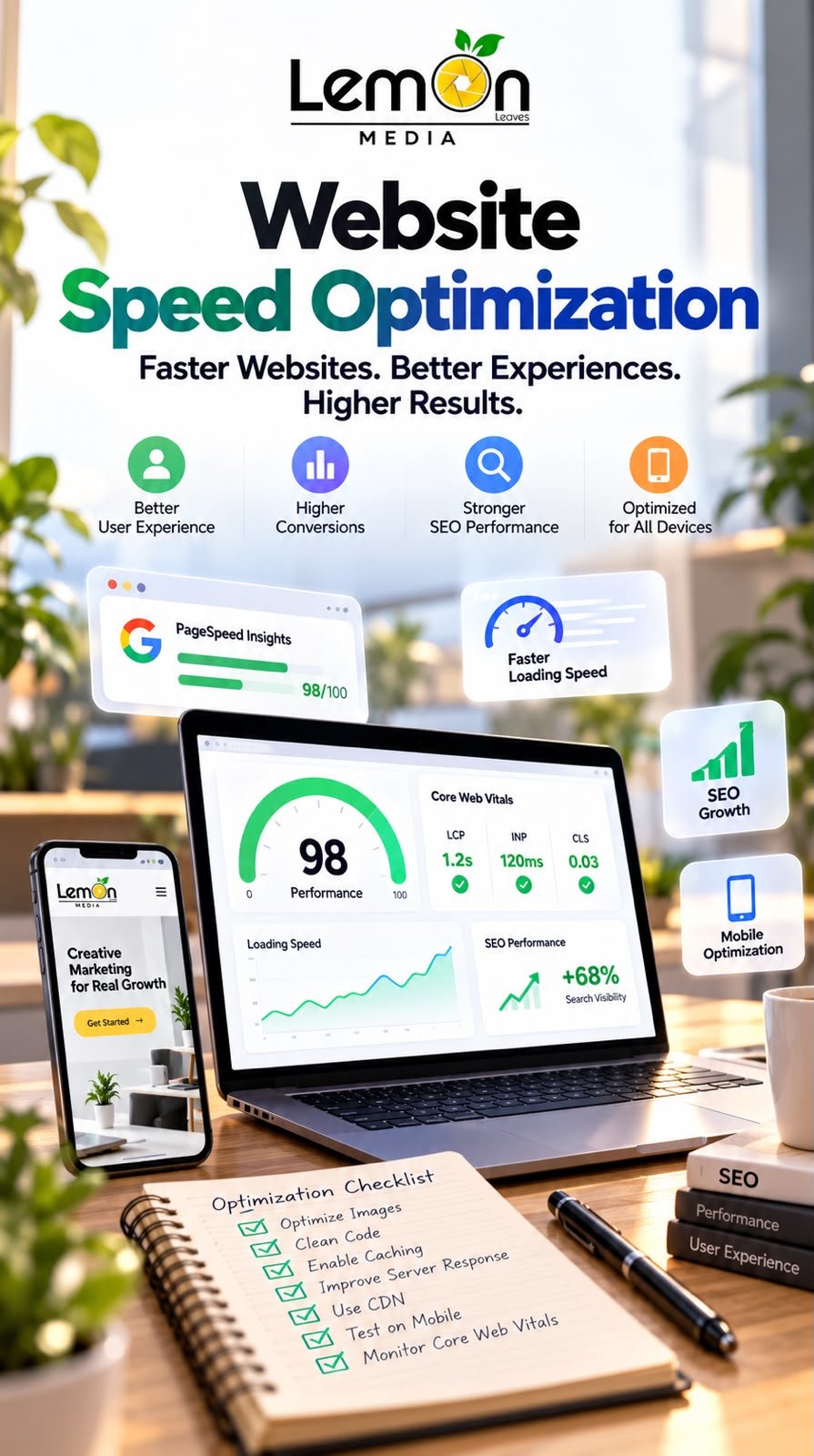
Website speed optimization is an essential part of building a successful online presence. Visitors expect websites to load quickly, respond smoothly, and provide a seamless experience across desktop computers, tablets, and mobile devices. A slow website can cause visitors to leave before they explore a product, read an article, or contact a business. For companies investing in digital marketing, these delays may also reduce the effectiveness of advertising campaigns and landing pages.
Website speed optimization helps businesses improve:
- User experience and website usability.
- Search engine optimization (SEO).
- Mobile browsing performance.
- Online sales and lead generation opportunities.
- Landing page performance for paid advertising.
- Customer satisfaction and trust.
- Website accessibility across different devices and network conditions.
In this guide, Lemon Media explains the importance of website speed, the key performance metrics to understand, and the practical steps businesses can take to build faster websites.
1. What Is Website Speed Optimization?
Website speed optimization is the process of improving how quickly a website loads, displays important content, and responds to user interactions. It involves identifying and fixing technical issues that affect page performance, such as large images, unnecessary scripts, slow server responses, and inefficient website code.
Common website speed optimization techniques include:
- Compressing and resizing images.
- Reducing unnecessary JavaScript and CSS.
- Enabling browser caching.
- Improving server response times.
- Using modern image formats such as WebP and AVIF.
- Applying lazy loading to suitable images.
- Optimizing website fonts.
- Reducing unnecessary third-party scripts.
- Improving mobile page performance.
- Using a content delivery network (CDN) when appropriate.
The main objective is to create a website that allows visitors to access information quickly and complete important actions without unnecessary delays.
2. Why Website Speed Matters for Businesses
Website speed affects more than the time required to display a page. It can influence how visitors interact with a business and whether they continue through the customer journey.
A. Better User Experience
A fast website helps users navigate pages and find information more easily.
- Faster access to product and service information.
- Smoother navigation between pages.
- More responsive buttons and interactive elements.
- Less frustration during browsing.
- A more consistent experience across devices.
B. Improved Conversion Opportunities
Website performance can affect whether visitors complete actions such as purchases, registrations, and contact form submissions.
Businesses can improve the conversion experience by:
- Reducing delays on product pages.
- Simplifying checkout processes.
- Improving the responsiveness of forms.
- Making important buttons accessible and easy to use.
- Preventing layout shifts that interrupt interactions.
- Testing landing pages for mobile performance.
Speed alone does not guarantee higher conversions. Product quality, pricing, trust, page content, and the overall customer experience also play important roles.
C. More Effective Digital Advertising
Businesses running Google Ads or Meta Ads pay to attract potential customers to their websites. If a landing page loads slowly, some visitors may leave before viewing the offer.
To improve the post-click experience:
- Match the landing page content to the advertisement.
- Optimize images and videos above the fold.
- Remove unnecessary scripts and pop-ups.
- Make contact forms easy to complete.
- Ensure the page works smoothly on mobile devices.
- Test the full journey from ad click to conversion.
- Monitor landing page performance alongside campaign metrics.
A faster landing page can remove technical friction, although advertising results also depend on targeting, creative quality, budget, and offer relevance.
D. Better SEO Performance
Google recommends good Core Web Vitals as part of providing a positive page experience.
Website owners should focus on:
- Making important content load efficiently.
- Improving responsiveness to user interactions.
- Preventing unexpected layout movement.
- Ensuring pages are accessible to search engines.
- Maintaining useful, relevant, original content.
- Creating a clear website structure.
Core Web Vitals are relevant to SEO, but they are not a guarantee of higher rankings. Search visibility depends on multiple factors, including relevance, content quality, technical accessibility, and competition.
3. Understanding Google’s Core Web Vitals
Core Web Vitals measure important aspects of real-world website experience, including loading performance, responsiveness, and visual stability. Google identifies three main Core Web Vitals metrics.
A. Largest Contentful Paint (LCP)
LCP measures how long it takes for the largest visible image or text block in the viewport to render.
Recommended target: 2.5 seconds or less.
Common causes of poor LCP include:
- Slow server response times.
- Large, unoptimized images.
- Render-blocking resources.
- Delayed loading of the main image.
- Inefficient page rendering.
- Poor resource prioritization.
Ways to improve LCP:
- Optimize the main image.
- Improve server response times.
- Reduce unnecessary redirects.
- Remove or defer non-critical resources.
- Prioritize important above-the-fold content.
- Use caching and efficient content delivery where appropriate.
B. Interaction to Next Paint (INP)
INP measures how quickly a page responds visually to user interactions throughout a visit.
Recommended target: 200 milliseconds or less.
Potential causes of poor INP include:
- Excessive JavaScript execution.
- Long-running browser tasks.
- Complex event handlers.
- Heavy third-party scripts.
- Unnecessary interactive components.
Ways to improve INP:
- Remove unused JavaScript.
- Break up long tasks.
- Simplify interaction logic.
- Reduce unnecessary third-party tools.
- Optimize event handlers.
- Avoid expensive operations during interactions.
C. Cumulative Layout Shift (CLS)
CLS measures unexpected layout movement during a page’s lifetime.
Recommended target: 0.1 or less.
Common causes of poor CLS include:
- Images without defined dimensions.
- Advertisements that appear without reserved space.
- Dynamically inserted content.
- Web fonts that change text layout.
- Elements that move as additional content loads.
Ways to improve CLS:
- Specify image width and height.
- Reserve space for advertisements and embeds.
- Avoid inserting content above existing content unexpectedly.
- Optimize font loading.
- Maintain stable dimensions for important page elements.
These recommended thresholds apply to the 75th percentile of page visits, assessed separately for mobile and desktop users.
4. How to Test Your Website Speed
Before optimizing a website, businesses should measure current performance and identify the most important issues.
A. Google PageSpeed Insights
Google PageSpeed Insights is a useful tool for checking website performance. It can provide:
- Performance scores for mobile and desktop.
- Core Web Vitals field data when available.
- Lab-based performance diagnostics.
- Recommendations for improving page speed.
- Information about rendering delays.
- Suggestions for optimizing images and resources.
How to use PageSpeed Insights:
- Visit https://pagespeed.web.dev/.
- Enter the URL you want to analyze.
- Run the performance test.
- Review the mobile report.
- Review the desktop report.
- Check LCP, INP, and CLS.
- Examine the suggested improvements.
- Prioritize the issues affecting important pages.
Do not test only the homepage. Analyze product pages, service pages, landing pages, and other important URLs.
B. Google Search Console
Google Search Console can help website owners understand Core Web Vitals performance across groups of URLs when sufficient data is available.
Use it to:
- Identify groups of pages with performance issues.
- Compare mobile and desktop experiences.
- Discover recurring technical problems.
- Monitor changes after optimization.
- Identify URLs that may require further investigation.
C. Browser Developer Tools
Browser developer tools can help technical teams investigate problems that are not immediately obvious from a performance score.
They can be used to:
- Inspect network requests.
- Identify large files.
- Investigate JavaScript execution.
- Analyze rendering behavior.
- Review console errors.
- Check how page resources load.
Using multiple tools provides a clearer picture of website performance than relying on a single score.
5. Practical Ways to Improve Website Loading Speed
A. Optimize Website Images
Images can contribute significantly to page size, especially on ecommerce websites and image-heavy landing pages. To optimize images:
- Resize images to their actual display dimensions.
- Compress images while preserving acceptable quality.
- Use WebP or AVIF when suitable.
- Avoid uploading unnecessarily large original files.
- Use responsive images for different screen sizes.
- Apply lazy loading to below-the-fold images.
- Avoid lazy-loading the main image when it would delay LCP.
- Replace unnecessarily heavy animations with lighter alternatives.
B. Reduce Unnecessary JavaScript and CSS
Large scripts and stylesheets can delay rendering and reduce responsiveness. Recommended actions include:
- Remove unused code.
- Minimize unnecessary plugins.
- Eliminate duplicate scripts.
- Defer non-critical JavaScript where appropriate.
- Load essential resources efficiently.
- Minify CSS and JavaScript when beneficial.
- Review scripts added by marketing integrations.
- Test functionality after making changes.
C. Enable Browser Caching
Browser caching allows visitors’ browsers to reuse certain resources instead of downloading them repeatedly. Caching improvements may include:
- Setting appropriate cache-control headers.
- Caching static images.
- Caching stylesheets and scripts.
- Using versioning for updated assets.
- Avoiding unnecessarily short cache durations for unchanged resources.
D. Improve Server Response Time
A website may remain slow even after images and scripts are optimized if the server takes too long to respond. Potential causes and actions include:
- Review hosting resources and performance.
- Enable server-side caching where appropriate.
- Optimize database queries.
- Remove unnecessary server-side processes.
- Use a suitable CDN.
- Monitor response times during high traffic.
E. Reduce Third-Party Scripts
Third-party tools can support analytics, advertising, customer support, and marketing automation, but they can also add processing overhead. Review your tools and:
- Remove integrations that are no longer needed.
- Avoid loading duplicate tracking scripts.
- Delay non-essential widgets when appropriate.
- Review chat and social media embeds.
- Load external resources only where required.
- Maintain accurate analytics and conversion tracking.
- Respect applicable consent and privacy requirements.
F. Optimize Website Fonts
Custom fonts can affect loading performance and layout stability. To improve font performance:
- Limit the number of font families.
- Use only the weights and styles required.
- Serve appropriately optimized font files.
- Preload critical fonts when justified.
- Use suitable fallback fonts.
- Avoid loading multiple unnecessary font variations.
G. Use a Content Delivery Network (CDN)
A CDN distributes supported website resources across servers in different geographic locations. Potential benefits include:
- Faster delivery of cached static resources.
- Reduced distance between users and content servers.
- Better handling of certain traffic patterns.
- Improved delivery consistency for geographically distributed audiences.
A CDN is not a universal fix. Results depend on the website’s architecture, caching behavior, hosting, and audience locations.
6. Why Mobile Website Speed Deserves Special Attention
Mobile performance is especially important for businesses whose customers browse products, contact companies, or make purchases using smartphones.
Mobile users may experience:
- Slower network connections.
- Limited device processing power.
- Larger relative page downloads.
- Difficult navigation.
- Unresponsive interactive elements.
- Layout problems on smaller screens.
Mobile Optimization Checklist
- Test key pages on mobile devices.
- Compress large images.
- Keep navigation simple.
- Use readable font sizes.
- Make buttons easy to tap.
- Avoid intrusive pop-ups.
- Reduce unnecessary animations.
- Optimize forms for touchscreens.
- Minimize excessive scripts.
- Check the full checkout process.
- Prevent unexpected layout shifts.
- Test pages on more than one device where possible.
Mobile optimization should focus on real usability, not simply achieving a high score in a testing tool.
7. Website Speed Optimization for Shopify Stores
Shopify store owners should prioritize the performance of product pages, collection pages, and the storefront experience.
Images and media
- Compress product images.
- Avoid oversized image files.
- Use modern image formats where supported.
- Limit unnecessary video backgrounds.
- Optimize promotional banners.
Themes and code
- Review theme performance.
- Remove unused theme features where practical.
- Reduce unnecessary custom scripts.
- Avoid excessive animations.
- Test changes after theme updates.
Apps and integrations
- Remove applications that are no longer used.
- Review the impact of recently installed apps.
- Check whether apps add unnecessary storefront scripts.
- Avoid duplicate analytics integrations.
- Keep essential marketing tools configured correctly.
Customer experience
- Test product pages on mobile.
- Make product information easy to access.
- Keep navigation clear.
- Reduce unnecessary steps before purchase.
- Check cart functionality.
- Test the customer journey after major changes.
Because Shopify manages much of the underlying infrastructure, store owners may not have direct control over every server-level setting. Focus on the theme, media, applications, and storefront elements that can be managed.
8. Common Website Speed Optimization Mistakes
Mistake 1: Focusing Only on the Performance Score
A high score is useful, but it does not automatically mean every visitor will experience a fast website. Instead:
- Review Core Web Vitals.
- Examine field data when available.
- Test important user journeys.
- Check mobile and desktop performance.
- Evaluate business-critical pages.
Mistake 2: Installing Too Many Optimization Plugins
Multiple tools with overlapping features can introduce conflicts and unnecessary code. Instead:
- Identify the actual performance problem.
- Choose the minimum set of tools required.
- Check for duplicated functionality.
- Remove unused plugins.
- Retest after each major change.
Mistake 3: Lazy-Loading Every Image
Lazy loading can delay important content if applied incorrectly. Instead:
- Prioritize the main visible image.
- Use lazy loading for appropriate below-the-fold images.
- Check the impact on LCP.
- Test different page templates.
Mistake 4: Ignoring Real User Data
Lab tests are valuable, but actual visitors use different devices and networks. Instead:
- Compare lab and field data.
- Review mobile and desktop results separately.
- Monitor trends over time.
- Investigate repeated performance issues.
Mistake 5: Making Changes Without Retesting
An optimization can improve one metric while damaging functionality elsewhere. After changes:
- Test navigation.
- Submit contact forms.
- Check analytics events.
- Verify advertising conversion tracking.
- Test cart and checkout functionality.
- Rerun performance tests.
- Compare results against the original baseline.
9. How to Build a Website Speed Optimization Checklist
Before Optimization
- Record baseline performance.
- Test important pages.
- Review Core Web Vitals.
- Identify oversized images.
- Inspect large scripts and stylesheets.
- Check server response times.
- Review installed plugins and applications.
- Identify pages important for sales or lead generation.
During Optimization
- Compress and resize images.
- Review JavaScript and CSS.
- Configure caching appropriately.
- Remove unnecessary scripts.
- Investigate server bottlenecks.
- Improve font loading.
- Address layout instability.
- Test mobile responsiveness.
- Prioritize the most important URLs.
After Optimization
- Rerun PageSpeed Insights.
- Compare results with the original baseline.
- Test key interactions.
- Verify forms and checkout processes.
- Check analytics and tracking.
- Monitor real-user performance where available.
- Document the changes made.
- Schedule follow-up reviews.
Prioritizing Fixes
- Business impact: Does the issue affect an important sales or lead-generation page?
- Performance impact: Does it affect LCP, INP, CLS, or another meaningful metric?
- Number of pages: Does the issue affect one page or the entire website?
- Implementation effort: Can it be fixed quickly, or does it require development work?
- Risk: Could the proposed change affect website functionality or tracking?
This approach helps teams focus on improvements that matter rather than making changes simply to increase a score.
10. How Often Should You Test Website Speed?
Website speed should be monitored regularly and checked whenever significant changes are introduced.
Consider testing your website when:
- Launching a new website.
- Updating a theme or design.
- Installing new plugins or applications.
- Adding large images or videos.
- Changing hosting or infrastructure.
- Publishing new advertising landing pages.
- Experiencing a decline in conversions.
- Investigating changes in organic traffic.
- Releasing major website features.
For websites that change frequently, automated monitoring can help identify performance regressions. Individual test results may fluctuate, so evaluate consistent patterns and meaningful changes rather than reacting to every small variation.
11. Recommended Website Speed Optimization Tools
Google PageSpeed Insights
Best for analyzing individual pages and identifying performance opportunities.
- Reviewing Core Web Vitals.
- Comparing mobile and desktop results.
- Identifying rendering bottlenecks.
- Receiving optimization recommendations.
Google Search Console
Best for monitoring search performance and Core Web Vitals across groups of pages.
- Identifying groups of URLs with issues.
- Reviewing available mobile and desktop field data.
- Monitoring search visibility.
- Investigating technical SEO problems.
Chrome DevTools
Best for technical investigation and debugging.
- Inspecting network requests.
- Identifying resource-heavy files.
- Investigating JavaScript execution.
- Analyzing browser rendering.
WebPageTest
Best for detailed performance testing under different conditions.
- Investigating page loading behavior.
- Examining resource waterfalls.
- Comparing test configurations.
- Diagnosing complex performance problems.
Each tool provides a different perspective. Combining test results with real-user data, where available, gives website owners a stronger basis for making decisions.
Website speed optimization is an important part of creating a reliable, user-friendly, and search-friendly digital experience. Businesses can improve performance by optimizing images, reducing unnecessary scripts, improving caching, reviewing hosting performance, and monitoring Core Web Vitals






Related Posts