

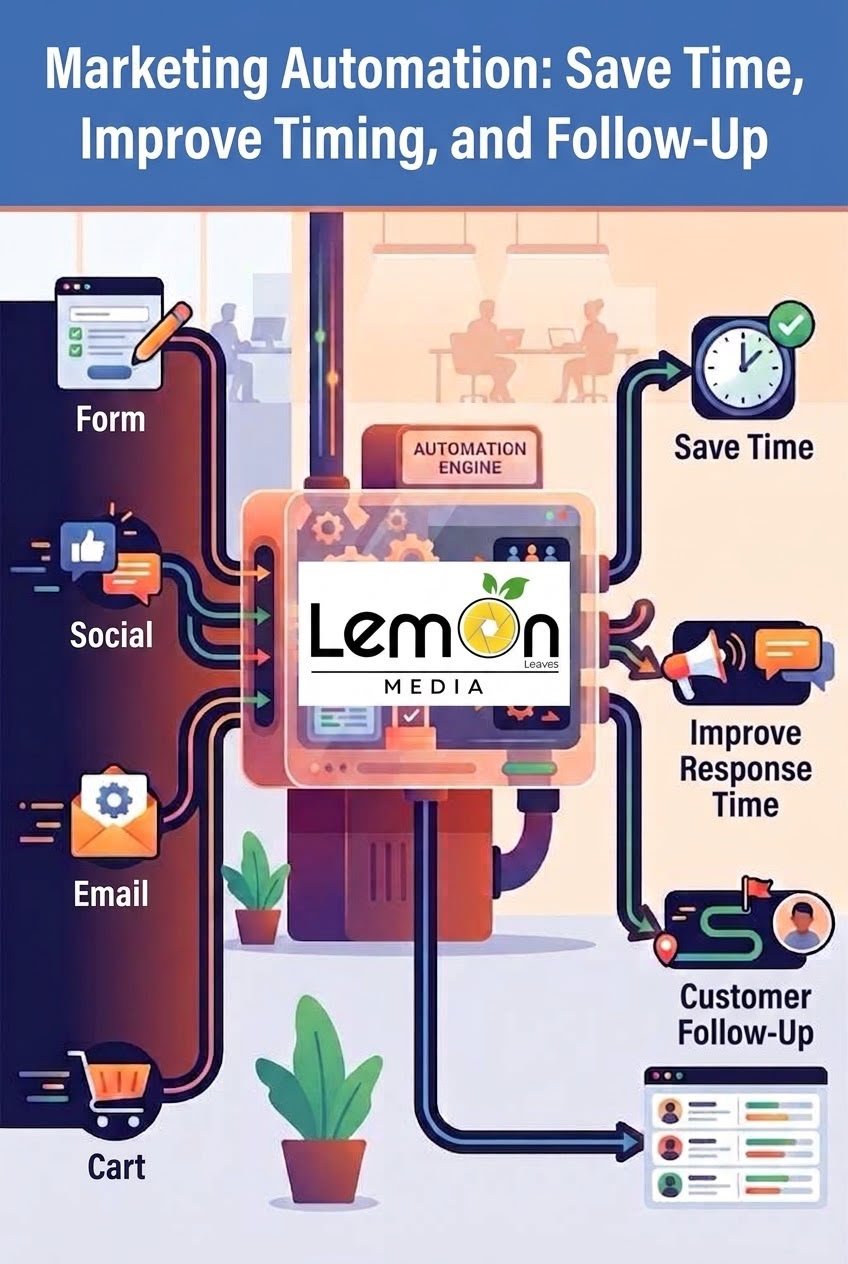
As the number of potential customers increases and communication channels continue to expand, it can become difficult for marketing and sales teams to manually follow up with every customer at the right time.
This is where marketing automation becomes valuable.
Marketing automation refers to the use of technology and software to automate repetitive marketing tasks while maintaining consistent communication with potential and existing customers.
However, marketing automation does not mean replacing the human element or making every customer interaction robotic. Instead, its purpose is to reduce repetitive work and give marketing and sales teams more time to focus on strategy, creativity, customer relationships, and tasks that require human judgment.
What Is Marketing Automation?
Marketing automation is the use of software and technology to automatically perform specific marketing activities based on customer behavior, data, or predefined conditions.
For example, when someone submits a form on a website, an automated system can:
* Record the customer’s information.
* Send a welcome or confirmation message.
* Add the customer to a database.
* Categorize the lead.
* Send relevant information about a product or service.
* Notify the sales team.
* Trigger follow-up messages if the customer does not take a specific action.
Instead of an employee manually completing every step, the company can create an automated workflow that performs these tasks according to predefined rules.
Why Is Marketing Automation Important for Businesses?
Modern businesses interact with customers through many different channels, including:
* Websites.
* Search engines.
* Social media platforms.
* Email.
* Messaging applications.
* Digital advertising.
* E-commerce stores.
With so many channels and customer interactions, valuable opportunities can easily be missed if leads are not followed up with quickly and consistently.
Marketing automation helps businesses create a more organized system for managing customer interactions instead of relying entirely on manual processes.
The Main Benefits of Marketing Automation
1. Saving Time
Marketing teams perform many repetitive tasks every day, such as sending follow-up messages, recording customer information, segmenting audiences, and distributing content.
Many of these processes can be automated, allowing teams to spend more time on strategy, creativity, analysis, and customer relationships.
2. Improving Response Time
Response time can be extremely important when a customer is considering a purchase.
For example, if someone submits a request for a consultation or asks for information about a service, an automated message can immediately confirm that the request has been received and explain what happens next.
This does not replace human interaction. Instead, it ensures that the customer receives an immediate response while waiting for a member of the team to follow up.
3. Improving Lead Follow-Up
Not every potential customer is ready to make a purchase immediately.
Some customers may need:
* More information.
* A comparison between products.
* Pricing details.
* Customer reviews.
* More time to make a decision.
Marketing automation allows businesses to create follow-up journeys that keep the brand connected with potential customers instead of losing them after their first interaction.
4. Reducing Human Errors
When repetitive tasks are handled manually, mistakes can happen.
For example:
* Forgetting to follow up with a lead.
* Sending the wrong message.
* Entering customer information incorrectly.
* Failing to update a lead’s status.
* Delaying a response.
A properly configured automation system can reduce these errors and make processes more consistent.
5. Segmenting Customers
Not every customer needs to receive the same message.
Businesses can use customer data and behavior to create different segments, such as:
* New customers.
* Potential customers.
* Previous customers.
* Returning customers.
* People interested in a specific product.
* Customers who have not completed a purchase.
The company can then provide more relevant content and communication to each group.
Practical Examples of Marketing Automation
Example 1: A Customer Submits a Form
Imagine a digital marketing agency using a form on its website to collect information from potential clients.
When a customer submits the form:
Step 1: The customer’s information is recorded automatically.
Step 2: The customer receives a confirmation message.
Step 3: The information is sent to the sales team.
Step 4: The lead is categorized according to the service they are interested in.
Step 5: If no action is taken, an automated follow-up can be triggered based on the company’s workflow.
This transforms several separate manual tasks into one organized customer journey.
Example 2: E-Commerce
E-commerce businesses can use automation in several situations, including:
* Abandoned cart reminders.
* Order confirmation messages.
* Post-purchase review requests.
* Product recommendations.
* Re-engagement campaigns for inactive customers.
* Follow-up messages after a purchase.
These processes can help improve the customer experience and create additional opportunities for repeat purchases.
Example 3: Customers Who Are Not Ready to Buy
A customer may visit a website and browse several pages without making a purchase.
Instead of considering that customer lost, the business can place them into a marketing journey that provides useful information, such as:
* Educational guides.
* Answers to frequently asked questions.
* Service comparisons.
* Case studies.
* Product benefits.
The goal is to help the customer gradually move from awareness and interest toward making a decision.
Marketing Automation and Email Marketing
Email marketing is one of the most common areas where automation is used.
Businesses can create automated campaigns that are triggered by specific customer actions.
For example:
Subscription → Welcome Email → Educational Content → Relevant Offer → Follow-Up
Instead of manually sending every message to every subscriber, the workflow is configured in advance and runs according to predefined conditions.
However, the success of email automation depends on the quality and relevance of the content, as well as the timing of the messages—not automation alone.
Marketing Automation and Social Media
Automation can also help businesses organize certain social media activities, including:
* Scheduling posts.
* Organizing content.
* Monitoring selected interactions.
* Collecting customer data.
* Organizing leads generated through advertising campaigns.
* Connecting customer information with CRM systems.
However, automation should not mean publishing random content or responding to every customer with the exact same message.
Meaningful communication with an audience still requires a human element.
How Does Marketing Automation Work With CRM?
Marketing automation often becomes more effective when it is connected to a Customer Relationship Management (CRM) system.
A CRM helps businesses organize customer information, while automation can trigger specific actions based on that information.
For example, a system may identify that a customer:
* Contacted the company.
* Requested a quotation.
* Showed interest in a specific product.
* Has not purchased yet.
* Has already become a customer.
Based on this information, the business can determine the appropriate next step in the customer journey.
How Can a Business Start Using Marketing Automation?
Businesses do not need to automate everything from the beginning.
A better approach is to start with processes that:
* Happen frequently.
* Consume significant amounts of time.
* Follow clear and repeatable steps.
* Can be measured.
* Create problems when handled manually.
Step 1: Identify the Problem
Before choosing an automation tool, the business should identify the problem it wants to solve.
Is the problem:
* Slow lead follow-up?
* Lost potential customers?
* Too many repetitive tasks?
* Poor customer data organization?
* Lack of post-lead follow-up?
Defining the problem first makes it easier to choose the right solution.
Step 2: Map the Customer Journey
Businesses should understand what happens from the customer’s first interaction with the brand until the purchase.
A customer journey could look like:
Advertisement → Website Visit → Form Submission → Follow-Up → Quotation → Purchase → Post-Purchase Follow-Up
Once the journey is mapped, the business can identify which steps can be automated.
Step 3: Choose the Right Tools
The right tools depend on the company’s needs.
A business may need:
* A CRM.
* An email marketing platform.
* Lead management tools.
* Analytics tools.
* Integration platforms.
* Social media management tools.
The key is to choose tools based on business requirements rather than simply selecting the most popular platform.
Step 4: Test the System
Before launching a large automation system, it is better to test it on a smaller scale.
Monitor whether:
* Messages are being delivered correctly.
* Customer data is being recorded.
* Leads are categorized correctly.
* Follow-ups are triggered at the right time.
* Unnecessary steps exist in the workflow.
The system can then be improved and expanded.
Common Marketing Automation Mistakes to Avoid
Marketing automation can produce negative results when it is implemented incorrectly.
Sending Too Many Messages
Sending excessive messages can annoy customers and damage their relationship with the brand.
Automation should make communication more useful—not simply increase the number of messages.
Sending the Same Message to Everyone
A new lead is not the same as a customer who has purchased from the company several times.
The more relevant the message is to the customer’s stage and needs, the more useful the communication becomes.
Automating Everything
Not every task should be automated.
Some situations require a real person who can understand the customer’s specific problem and respond with flexibility.
Ignoring Data
Automation without performance measurement can become nothing more than a collection of automated processes.
Businesses should monitor metrics such as:
* Email open rate.
* Click-through rate.
* Conversion rate.
* Customer acquisition cost.
* Lead-to-customer conversion rate.
* Customer retention rate.
Is Marketing Automation Suitable for Small Businesses?
Yes, but the level of automation should match the size and needs of the business.
A small business can start with simple automation, such as:
* Recording potential customers.
* Sending follow-up messages.
* Organizing customer information.
* Reminding sales teams to follow up.
* Sending post-purchase messages.
As the business grows, it can develop its automation system and introduce more advanced workflows.
Marketing Automation Does Not Replace the Human Element
One of the most important concepts to understand is that marketing automation is not a replacement for marketing or sales teams.
Its main role is to reduce repetitive tasks, organize information, and make customer journeys easier to manage.
Technology can send a message at a specific time, but it cannot always understand the complete context of a customer’s problem in the same way a trained employee can.
That is why effective marketing automation combines:
Technology + Data + Strategy + Human Interaction
Conclusion
Marketing automation has become an important part of modern business operations, particularly as companies manage more customers, digital channels, and data.
With the right automation strategy, businesses can:
* Save time.
* Organize customer data.
* Improve response times.
* Follow up with potential customers.
* Reduce repetitive tasks.
* Create more personalized customer experiences.
* Measure marketing processes more effectively.
However, successful marketing automation is not about using as many tools as possible.






Related Posts